Sectors: Finance • Information Technoloy • Government • Healthcare • Industries • Education • (show all)

Programming with Asprise OCR is very straightforward. Below is the typical source code sample in Java to recognize images:
import com.asprise.ocr.Ocr
...

Ocr.setUp(); // one time setup
Ocr ocr = new Ocr(); // create a new OCR engine
ocr.startEngine("eng", Ocr.SPEED_FASTEST); // English
String s = ocr.recognize(new File[] {new File("test.png")},
  Ocr.RECOGNIZE_TYPE_ALL, Ocr.OUTPUT_FORMAT_PLAINTEXT); // PLAINTEXT | XML | PDF | RTF
System.out.println("Result: " + s);
ocr.stopEngine();
With the below sample input image:
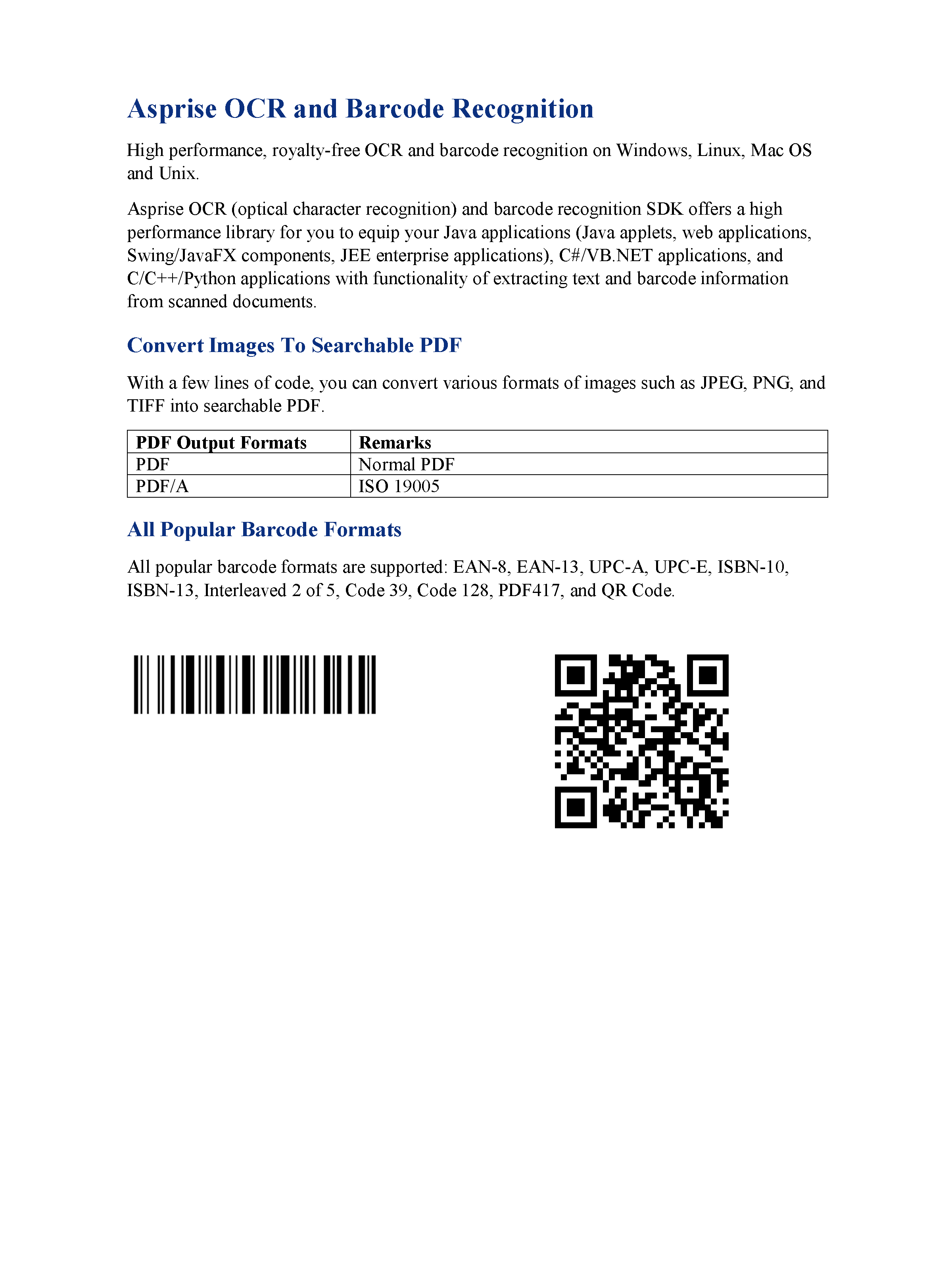
Asprise OCR and Barcode Recognition

High performance, royalty-free OCR and barcode recognition on Windows,
...
ISBN-l3, Interleaved 2 of 5, Code 39, Code 128, PDF417, and QR Code.

[[QR-Code: www.asprise.com]]
[[CODE-128: Asprise]].
If you need additional information like accuracy confidence and text coordinates, you can select XML as the output format. Additionally, table information like rows and cells are also available in XML.
<?xml version="1.0"?>
<asprise-ocr input="test-image.png">
  <page no="1" width="2400" height="3200" words="124" confidence="92">
    <block type="text"  x="320" y="248" width="1176" height="63" words="5" confidence="88">
Asprise OCR and Barcode Recognition
    </block>
...
    <block type="barcode" subtype="QR-Code" x="1397" y="1647" width="441" height="441">www.asprise.com</block>
    <block type="barcode" subtype="CODE-128" x="348" y="1651" width="583" height="147">Asprise</block>
  </page>
</asprise-ocr>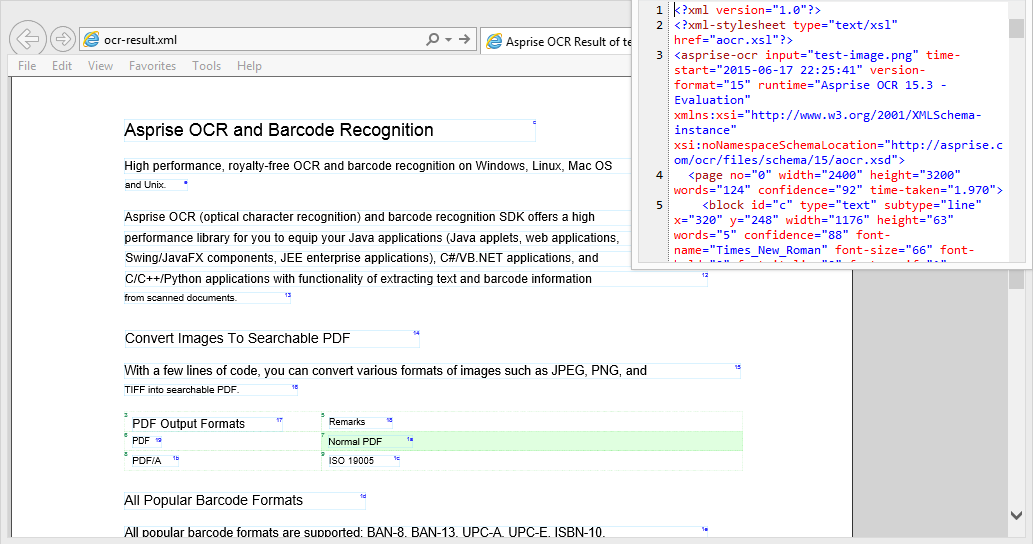
Click here to view the actual XML
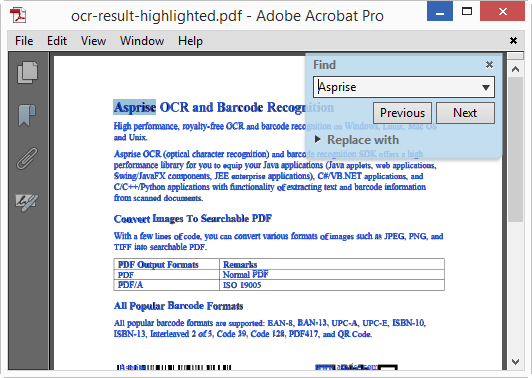
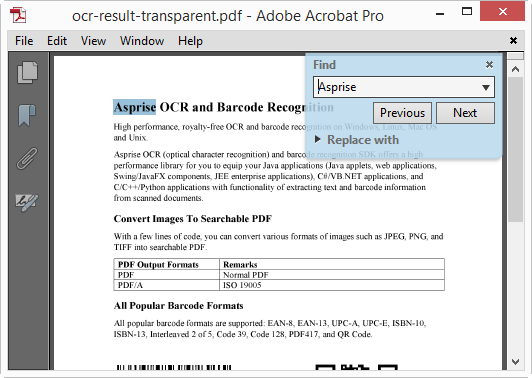
Asprise OCR supports generating searchable PDF:
Asprise OCR offer property for you to configure whether text should be highlighted or transparent. Please refer to the developer's guide for details.
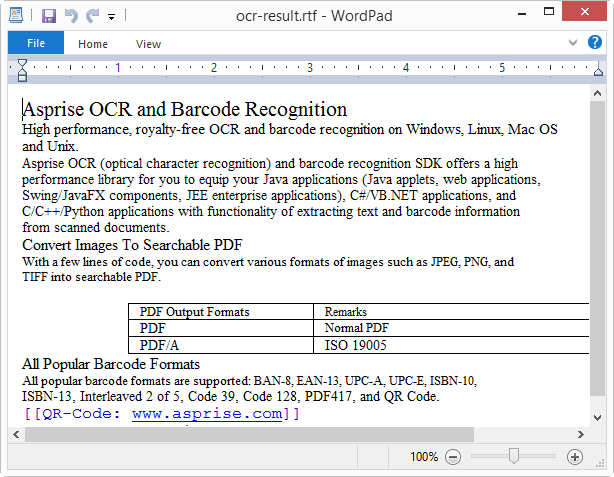
Choose RTF format if the user needs to further edit the recognition result in a word processor.